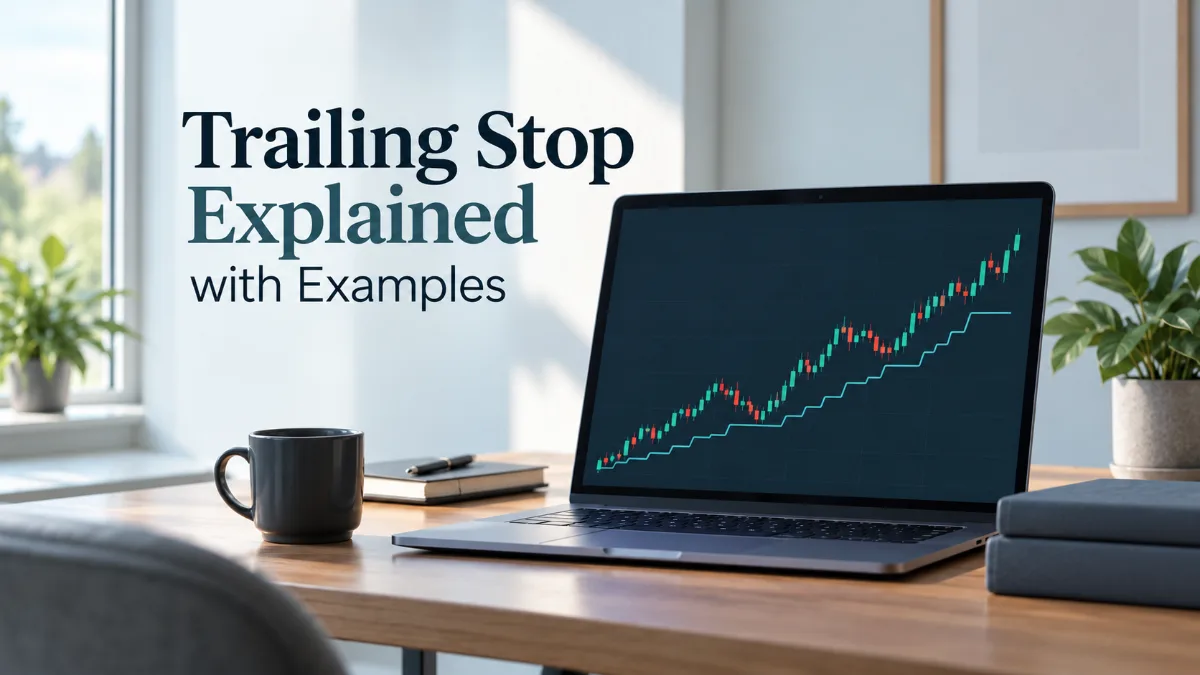
A trailing stop moves a protective stop in the direction of a profitable trade while leaving it unchanged when price moves against the trade. The stop follows favorable price movement by a chosen distance but does not move backward to give the trade more room. That makes a trailing stop loss different from a fixed stop loss which stays at one price unless manually changed.
For a long position the trailing stop normally rises with the market. For a short position it normally falls with the market. If price reverses far enough to reach the active stop the position can be closed. The mechanism can therefore reduce open risk or protect part of an unrealized gain automatically.
The mechanism does not guarantee a profit or execution at the exact stop level. The U.S. Securities and Exchange Commission's Investor.gov explains that a trailing stop follows favorable price movement by a defined amount and that execution can differ from the stop level after a trigger. Exact behavior depends on the broker venue instrument and platform.
How a trailing stop works
To understand how trailing stop works it helps to separate two values: the reference price and the trailing distance. The reference price is the best favorable price reached after the trailing mechanism becomes active. The trailing distance is the amount of room left between that favorable price and the protective stop.
Suppose a trader is long and uses a 50 point trailing distance. If the best relevant market price rises by 30 points the stop may not move yet depending on the platform rules. Once the conditions for an update are met the stop is recalculated so it remains roughly 50 points behind the current favorable price. If the market then falls 20 points the stop does not move lower. If the market falls far enough to touch the stop the exit condition is triggered.
| Position | Favorable move | Trailing stop behavior | Unfavorable move |
|---|---|---|---|
| Long | Price rises | Stop can move higher | Stop stays at its latest level |
| Short | Price falls | Stop can move lower | Stop stays at its latest level |
This one-way adjustment is the defining feature. A trailing stop does not predict where a trend will end. It reacts to price after the trade is open.
Trailing stop loss vs fixed stop loss
A fixed stop loss is usually placed at a specific price based on the trade setup. It remains there until it is hit or changed. A trailing stop loss is dynamic. Its level can improve as price moves in the trade's favor.
| Feature | Fixed stop loss | Trailing stop loss |
|---|---|---|
| Initial location | Specific price | Defined by a distance or rule |
| Moves automatically | No | Yes when platform conditions are met |
| Moves farther from price | Only if manually changed | Normally no |
| Main use | Limit downside from the original setup | Adapt protection as the trade moves favorably |
| Main weakness | May leave profit unprotected unless adjusted | Can exit too early during normal volatility |
One is not automatically better. A fixed stop is often clearer when market structure defines the setup's invalidation point. A trailing stop can be more useful after the trade has moved far enough that the trader wants protection to respond to continued favorable movement. Some traders open with a fixed stop and enable trailing only after price advances by a chosen amount.
Long position example
Assume a long position is opened at 1.1000 and the trader chooses a trailing distance of 50 pips. This example is simplified to show the logic rather than the exact rules of any broker or instrument.
- The position opens at 1.1000.
- Price rises to 1.1050. A trailing stop becomes active with the protective level around 1.1000.
- Price rises again to 1.1080. The trailing stop can rise to around 1.1030.
- Price then falls to 1.1060. The stop remains around 1.1030 because the market has moved against the position.
- If price later falls to the active stop level the exit condition is triggered.
The important point is that the stop remembers the best favorable progress rather than following price in both directions. If the market rallies further the stop can continue to rise. If the market retraces the stop does not widen again.
Short position example
For a short trade the logic is reversed. Assume a short position opens at 150.00 with a trailing distance of 1.00 in the instrument's price units.
- The short position opens at 150.00.
- Price falls to 148.50. A trailing stop may move down to about 149.50.
- Price falls to 147.00. The stop may move down again to about 148.00.
- Price rebounds to 147.60. The stop does not move back up.
- If price continues higher and reaches the active stop level the position can be closed.
The stop is therefore tightened only in the profitable direction. This symmetry between long and short positions is useful because the trader can think in terms of distance from the best favorable price rather than memorizing separate concepts.
What the trailing distance controls
The trailing distance determines how much adverse movement is allowed after the market makes favorable progress. A small distance locks in gains more aggressively but gives the trade less room to fluctuate. A large distance gives the position more breathing space but can return more unrealized profit before the stop is reached.
There is no universally correct number. The appropriate distance depends on the instrument's volatility the timeframe and the strategy. A 20 point trail can be loose in one market and tight in another. The same distance can also behave differently during quiet and volatile conditions.
A useful way to think about the choice is to compare the trailing distance with the size of ordinary pullbacks in the strategy. If normal retracements routinely exceed the chosen distance the trailing stop will often close trades even when the broader setup remains intact. If the distance is much larger than normal adverse movement the stop may provide little additional protection before a large part of the open gain disappears.
How to use trailing stop in MT5
In MetaTrader 5 a trailing stop is an automated process that modifies the Stop Loss level as the position becomes more profitable. The official MetaTrader 5 help states that the trailing mechanism is executed in the trading platform rather than on the trade server. This operational detail matters because the terminal must be running for the trailing logic to keep calculating new Stop Loss levels.
- Open or identify the position in the Trade tab.
- Open the position's context menu.
- Select Trailing Stop.
- Choose one of the available distances or set a custom distance where the interface allows it.
- Keep the desktop terminal running and connected if you expect the trailing logic to continue updating the Stop Loss.
MetaTrader 5 checks incoming quotes and compares the position's profit with the selected trailing distance. Once the platform's conditions are met it sends a command to place or modify Stop Loss. If price keeps moving in the profitable direction the Stop Loss can continue to move. If profit decreases the Stop Loss is not moved farther away.
The platform documentation also says that only one trailing stop can be set for each open position or pending order. For a single position the trailing action cannot occur more than once every 10 seconds. This means the feature should not be interpreted as a continuously moving line that updates on every tiny price change.
What happens if MT5 is closed
This is one of the most important differences between a trailing stop in MT5 and an ordinary server-side Stop Loss. The trailing algorithm itself runs in the client platform. If the platform is closed or disconnected it cannot keep moving the Stop Loss. However the most recently placed Stop Loss remains available to trigger according to the broker's execution rules.
Consider a long position whose Stop Loss has already been trailed from 1.1000 to 1.1060. If the terminal is then closed the platform will not keep raising that stop as price advances. The existing 1.1060 Stop Loss does not automatically disappear simply because the trailing logic stopped. The distinction is between updating the stop and having an already placed stop.
Uninterrupted trailing therefore depends on the terminal staying active and connected. Hosting can reduce local interruptions but cannot remove market execution risk.
Why a trailing stop can trigger earlier than expected
A trailing stop is based on the platform's price references and the instrument's execution rules. Charts often display one price while stop conditions can depend on Bid Ask or Last price. In MetaTrader 5 the normal Stop Loss condition for a long position is checked using Bid and for a short position using Ask. That difference can make a stop appear to trigger before a trader who is watching only one chart line expects it.
Spread also matters. A short trade may be stopped because Ask reaches the Stop Loss even if the visible Bid-based chart appears not to touch that level. During volatile periods spreads can widen and available liquidity can change quickly. The same principle applies to gaps: a market can move from one tradable price to another without offering execution at every price in between.
For this reason a trailing stop should be treated as a trigger mechanism rather than a promise of a specific fill. Investor.gov notes that stop execution can deviate from the stop price in fast-moving conditions. The exact result depends on the product broker execution model and available market liquidity.
Trailing stop and risk management
A trailing stop manages the exit after a trade begins moving favorably. It does not replace position sizing or the initial risk decision. Before entry the trader still needs to know the maximum acceptable loss and how it relates to account size.
A common mistake is to choose the trade size first and then use a trailing distance that makes the potential loss acceptable. A more disciplined sequence is to define the invalidation level or maximum acceptable stop distance first then calculate position size from that risk. The trailing rule can be added later as an exit-management layer.
Tightening a stop can reduce theoretical risk while increasing the chance of an exit from ordinary noise. It may reduce some losses or protect gains but also create more small exits. Whether that trade-off helps should be evaluated across many trades rather than one example.
When a trailing stop is useful
A trailing stop is most useful when a strategy benefits from sustained directional moves but the trader wants to give back only part of favorable movement. It can also help when the market cannot be watched continuously.
- Trend-following trades: the trail can keep the position open while momentum continues.
- Open profit protection: the stop can move beyond the original risk level after sufficient favorable movement.
- Rule-based exits: the trailing distance can reduce emotional decisions about when to take profit.
- Time away from the screen: automation can continue adjusting the stop while the required platform remains active.
The feature is less suitable when the strategy requires a precise fixed exit based on technical invalidation or when routine volatility is large relative to the proposed trailing distance.
When a trailing stop can hurt performance
A trailing stop can be counterproductive if it is activated too early. Many profitable trades do not move in a straight line. They advance then retrace then advance again. A trail that is tighter than the normal retracement can convert potentially successful trades into repeated small exits.
Using the same distance on every instrument is another mistake. Markets differ in tick size spread volatility and session behavior. A distance that suits one currency pair may behave very differently on an index commodity stock or cryptocurrency product.
Trailing can also conflict with strategies designed to hold through normal volatility. If the thesis requires surviving a typical pullback then placing the trail inside that pullback range undermines the setup. A fixed stop or structure-based adjustment may fit better.
Common trailing stop mistakes
- Setting the distance too tight: ordinary price noise reaches the stop before the intended move develops.
- Assuming the stop price is guaranteed: trigger price and execution price are not always identical.
- Ignoring Bid and Ask: the stop can trigger based on a price different from the one emphasized on the chart.
- Closing MT5 and expecting updates: the existing Stop Loss remains but the desktop terminal no longer advances it.
- Using one distance everywhere: different instruments and sessions can have very different volatility.
- Trailing before the trade has room to develop: the stop begins reacting before the original setup has produced meaningful favorable movement.
- Moving the stop backward manually: widening risk after a reversal defeats the main one-way logic of a trailing stop loss.
A practical way to choose a trailing stop
Start with the reason the trade should remain open. If the strategy expects pullbacks of a certain size then the trailing distance should not be chosen without considering those pullbacks. Next decide when trailing begins. Immediate activation and delayed activation are different approaches and they can produce very different outcomes.
- Define the original trade invalidation point.
- Set position size from the maximum acceptable loss.
- Estimate the size of normal adverse movement for the setup.
- Choose whether trailing starts immediately or only after a minimum favorable move.
- Select a trailing distance that matches the strategy rather than an arbitrary round number.
- Test the rule over a meaningful sample of past trades or in a demo environment.
- Review how often the trail exits a trade before the intended move resumes.
The goal is an exit rule that matches the strategy's volatility tolerance and holding logic.
Key points to remember
A trailing stop follows favorable movement without loosening when price reverses. It can move higher for long positions and lower for short positions. The trailing distance controls how much reversal is tolerated after favorable progress.
In MT5 the trailing function is especially important to understand operationally because the platform performs the trailing calculations locally. The desktop terminal must remain active for continued Stop Loss updates while the latest Stop Loss already placed can still exist on the broker side. The official MetaTrader 5 trading guide describes Trailing Stop as a mechanism for automatically moving Stop Loss as a position becomes more profitable.
A trailing stop is one component of a broader risk plan. Position size initial risk volatility spread execution rules and strategy logic still determine whether it helps or creates premature exits. No trailing method can remove market risk or guarantee the execution price.